What makes this strategy different
Most strategy pages focus on entries and exits. What matters more is how a strategy behaves as market conditions change. This strategy is designed around a regime-aware framework that adjusts its behavior based on volatility, opening-range context, and market structure rather than applying the same trade logic to every session.
Regime-aware by design
The strategy evaluates volatility and opening-range conditions to determine whether breakout behavior or range behavior is more appropriate. It is designed to respond differently when conditions favor expansion versus when conditions favor rotation.
Breakout and range logic are separated
Instead of forcing one trade style into every market, the strategy uses distinct logic paths. In stronger expansion conditions it can favor breakout behavior. In quieter or more rotational conditions it can favor reaction and fade behavior around Initial Balance boundaries.
Volatility-normalized trade management
Trade management is based on volatility-relative movement rather than fixed distances alone. Stops, break-even behavior, and targets are designed to scale with current market conditions so the strategy is not relying on one static environment.
Directional asymmetry
Long and short trades are not treated identically. The strategy accounts for differences in how markets often behave in each direction, allowing more room for development on one side and faster protection on the other when appropriate.
The objective is not to force trades in every condition, but to align trade behavior with the type of market that is actually present. That helps reduce low-quality setups while still allowing participation when conditions support expansion.
Strategy Access & Subscription
Pro subscription plans include licensed access to strategy software. The strategy is provided as a protected NinjaTrader installation package and runs entirely within the user's own NinjaTrader environment.
The strategy does not rely on TradeReign to execute trades or operate. However, an active subscription is required to maintain authorized access to the strategy.
Once access is enabled, customers can download the protected NinjaTrader import package and generate their license key from the TradeReign dashboard.
Access may be disabled if the subscription becomes inactive. Users are responsible for managing their subscription status and understanding how it impacts continued access.
How the strategy works
The default profile can trade more than one setup type. It builds an opening range and an Initial Balance, then uses volatility and market context to decide whether it is favoring breakout behavior, IB fade behavior, or certain rejection-reversal conditions.
Breakout trades
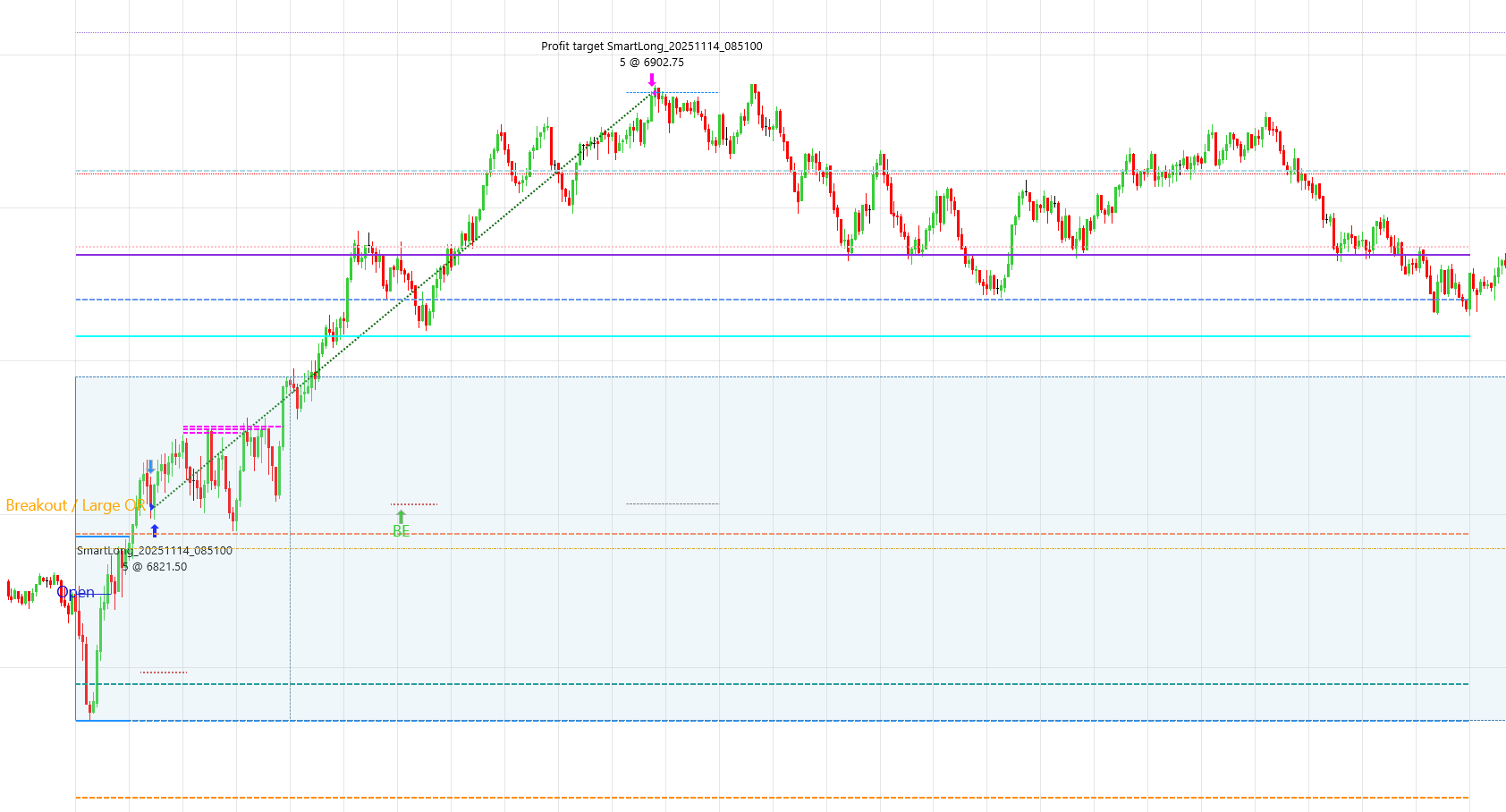
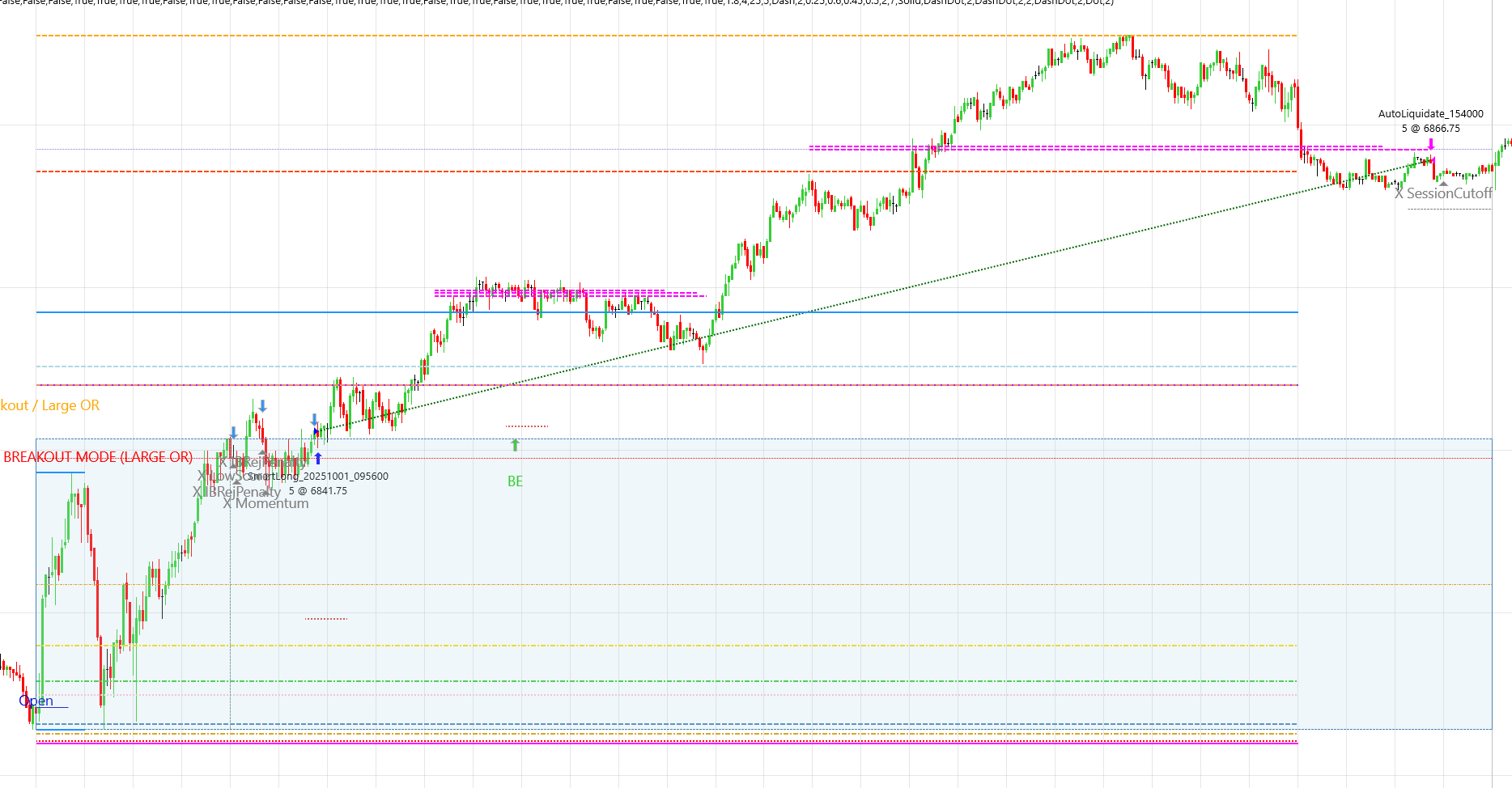
The strategy watches for confirmed closes outside the opening range when volatility and range context favor breakout behavior.
IB range fades
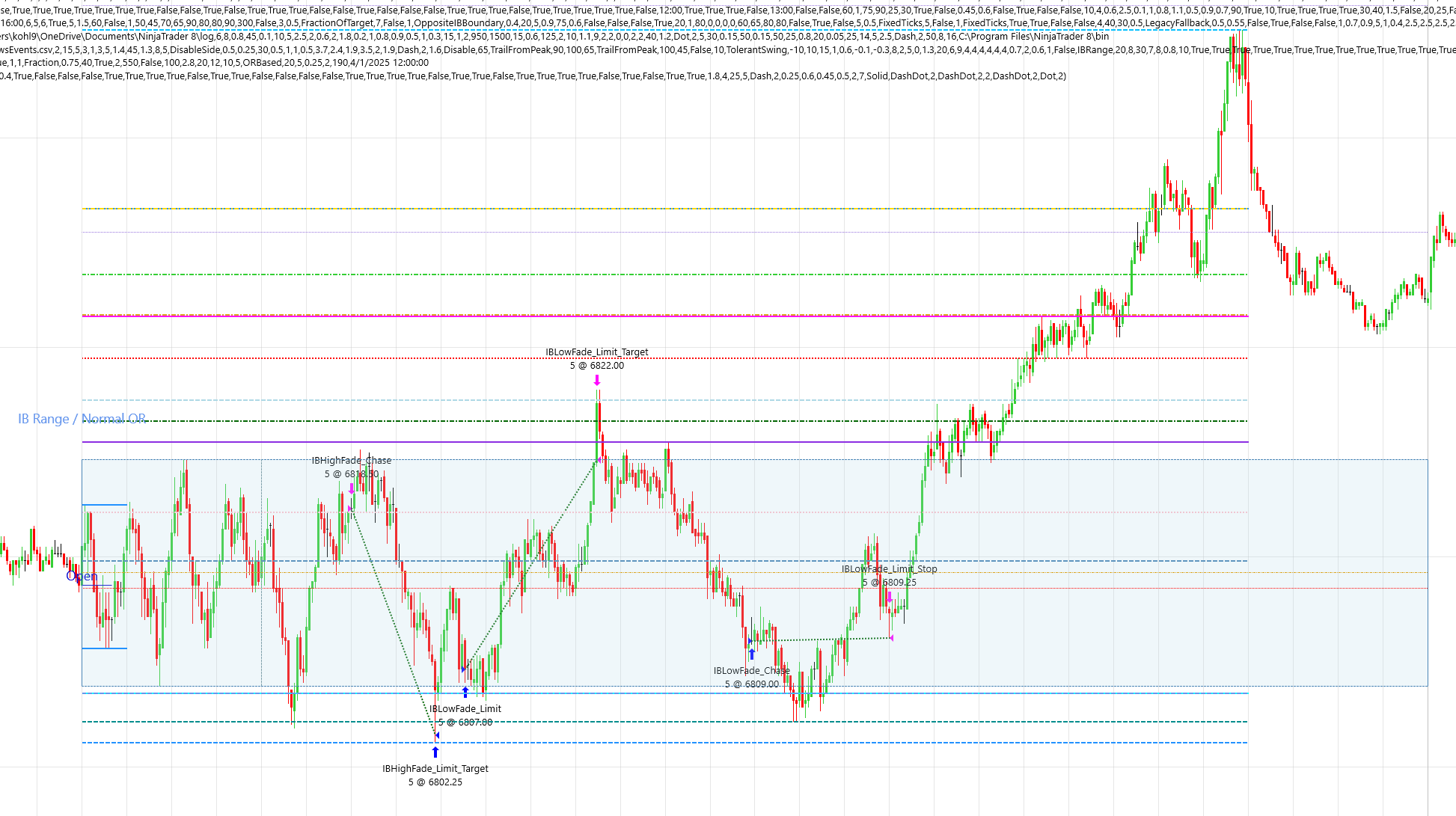
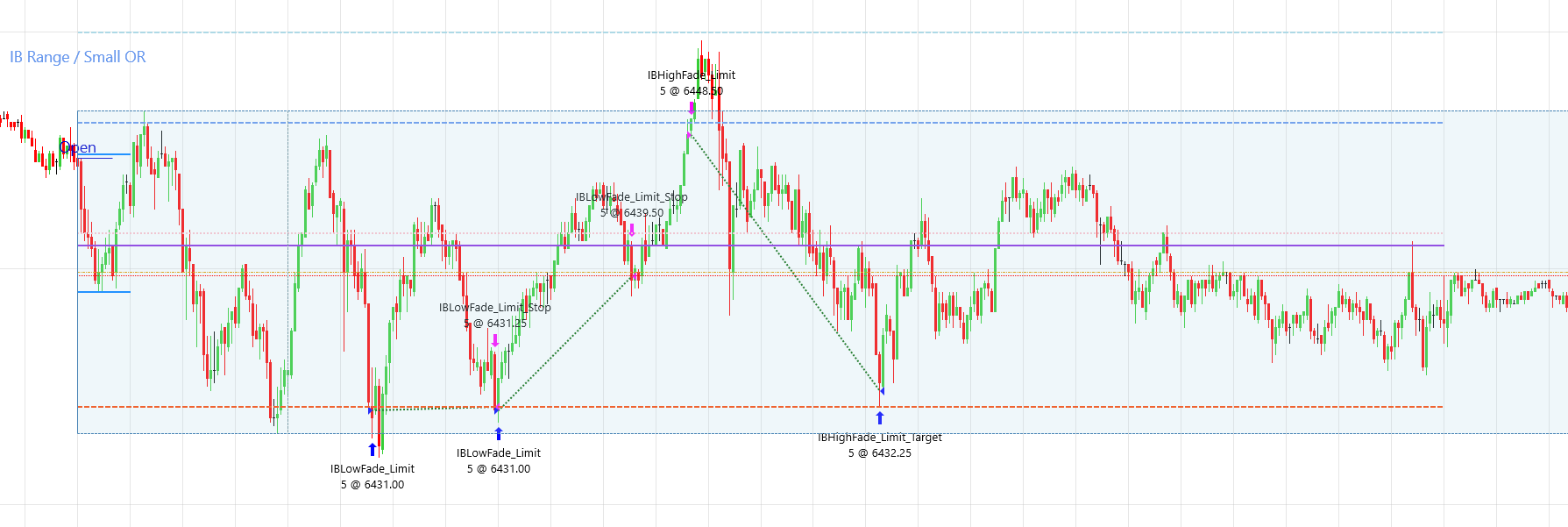
In range conditions, it can look for qualified reactions around Initial Balance high or low, then place fade entries back near the IB boundary.
Rejection reversals
The default profile can react to certain failed breakout conditions with rejection-reversal behavior, while older standalone reversal toggles remain off by default.
The default configuration is provided as a starting point only and is not a recommendation. Users are solely responsible for deciding whether and how to configure or use the strategy.
View the default configuration overviewSample trades from default settings
These screenshots show examples of trades that were taken while running the strategy's default configuration. They are provided only to help users recognize the difference between breakout trades and IB range fade trades.
These are historical examples only. They are not a guarantee, prediction, or representation of future results, and they should not be interpreted as typical performance.
Breakout trade sample
Breakout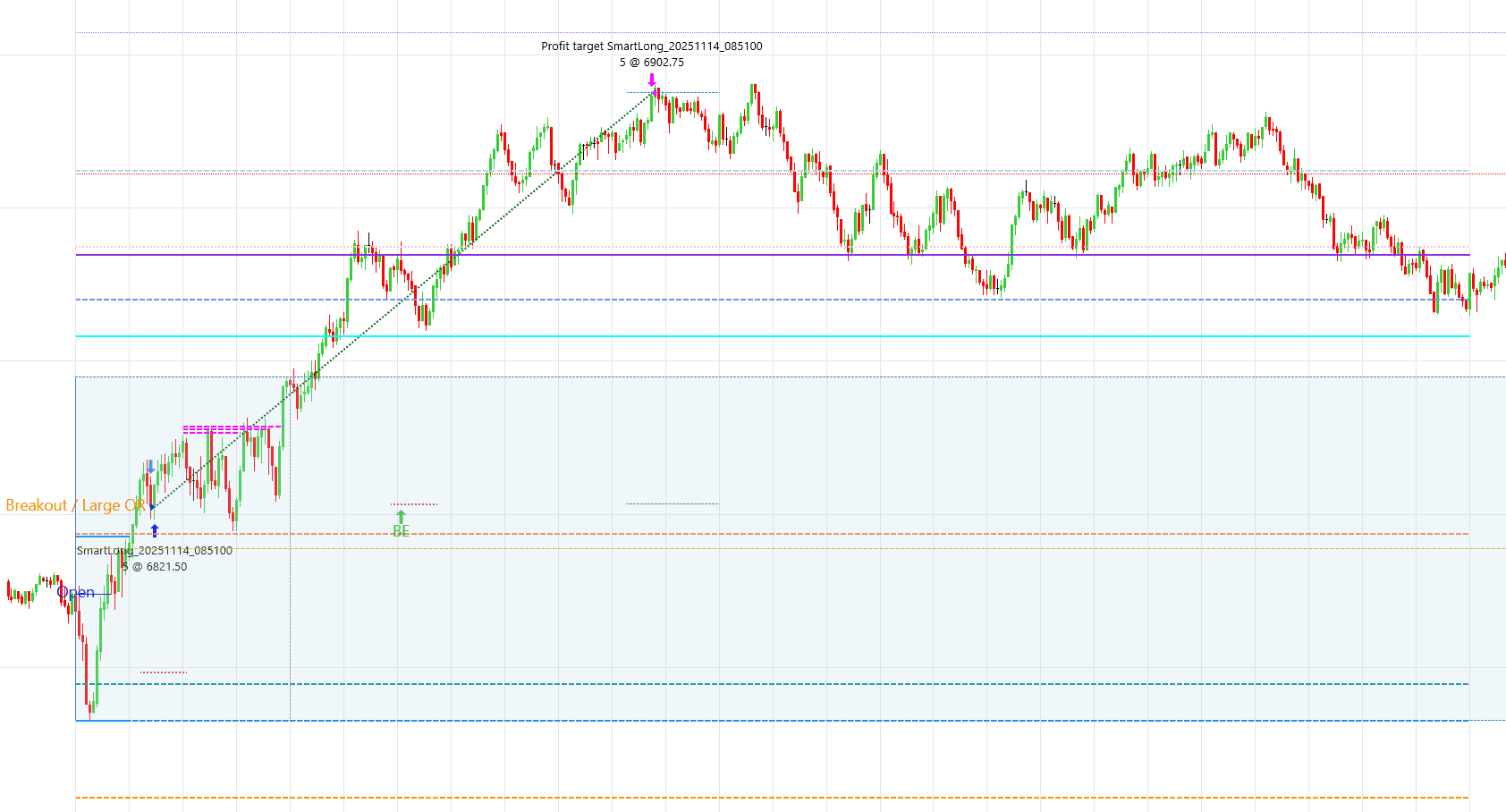
Breakout trade sample
Breakout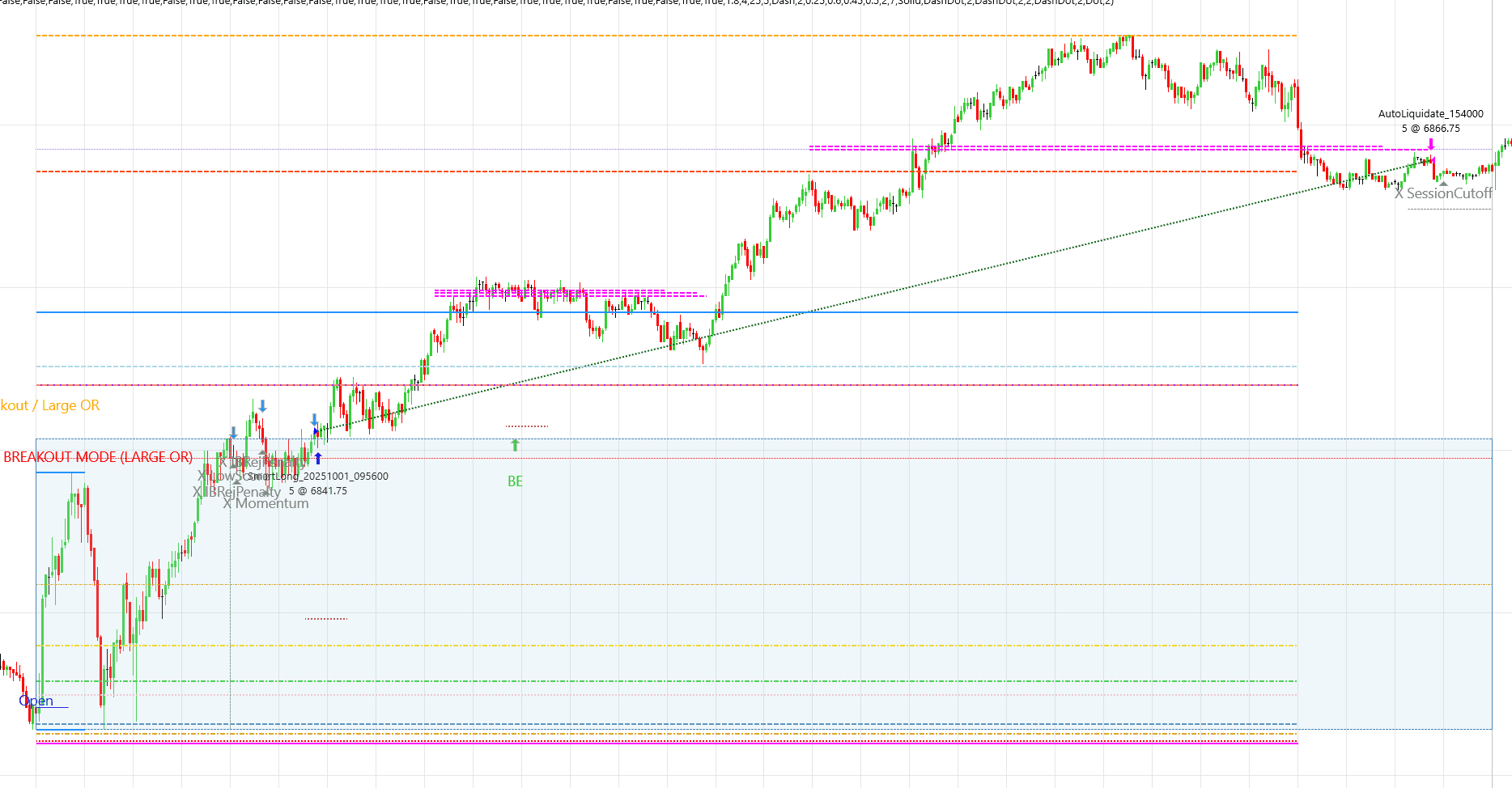
IB range trade sample
IB range fade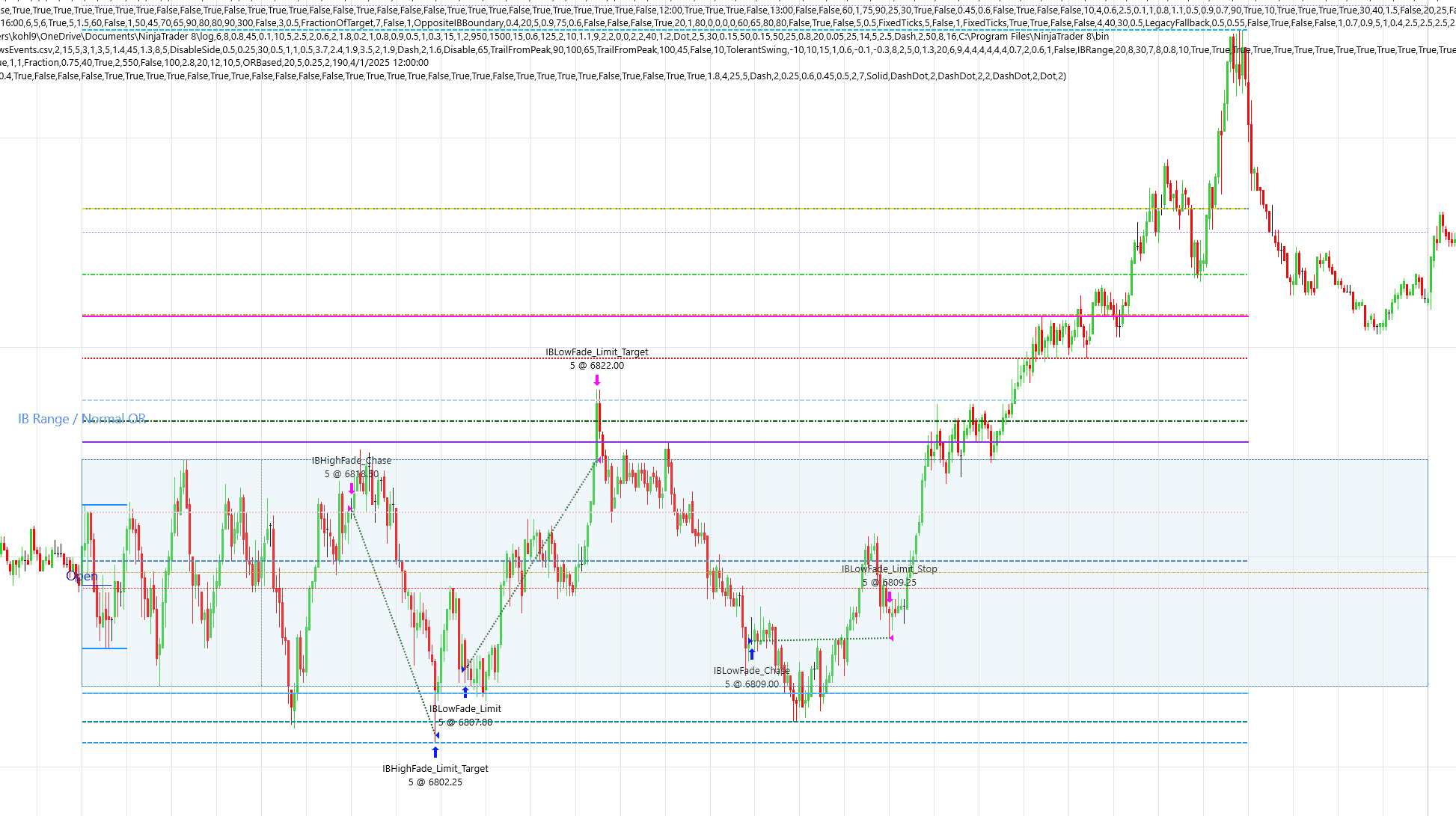
IB range trade sample
IB range fade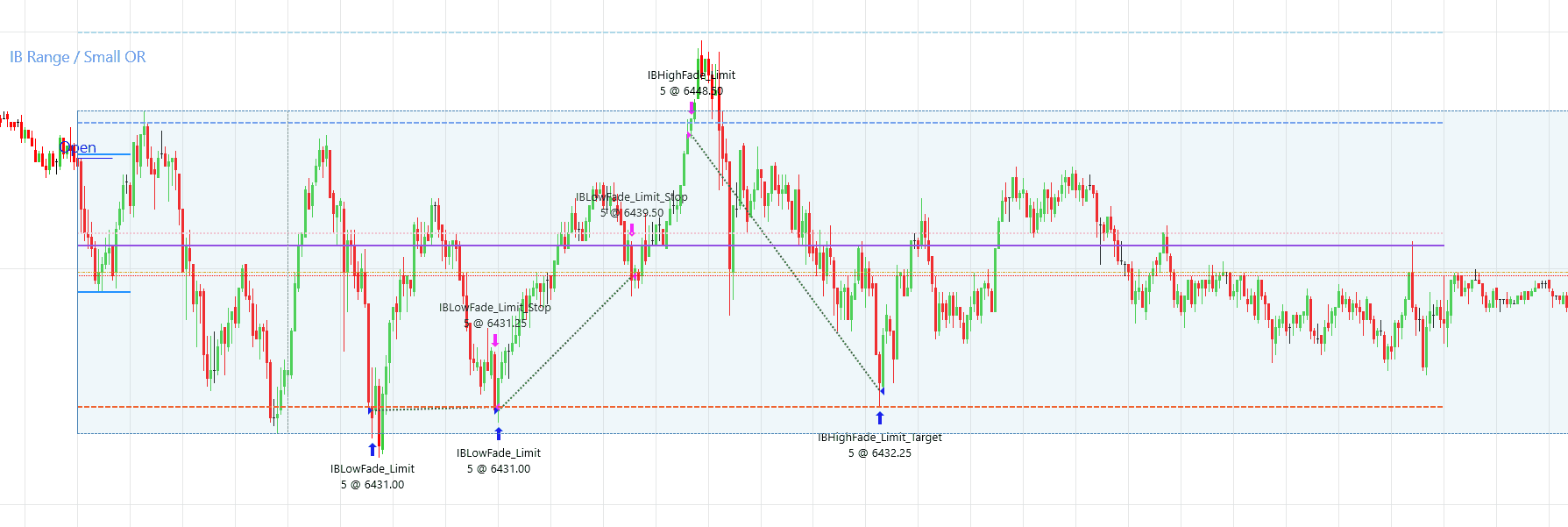
Hypothetical Backtest Results (Default Configuration)
This section shows a historical simulation using the strategy's default configuration, which may include breakout, reversal, and fade-style behavior depending on conditions. It is hypothetical and illustrative only.
These results reflect a specific configuration and should not be interpreted as expected or typical performance.
Note: Breakeven trades are counted as wins in the win rate. Profit and loss metrics are not affected by this classification.
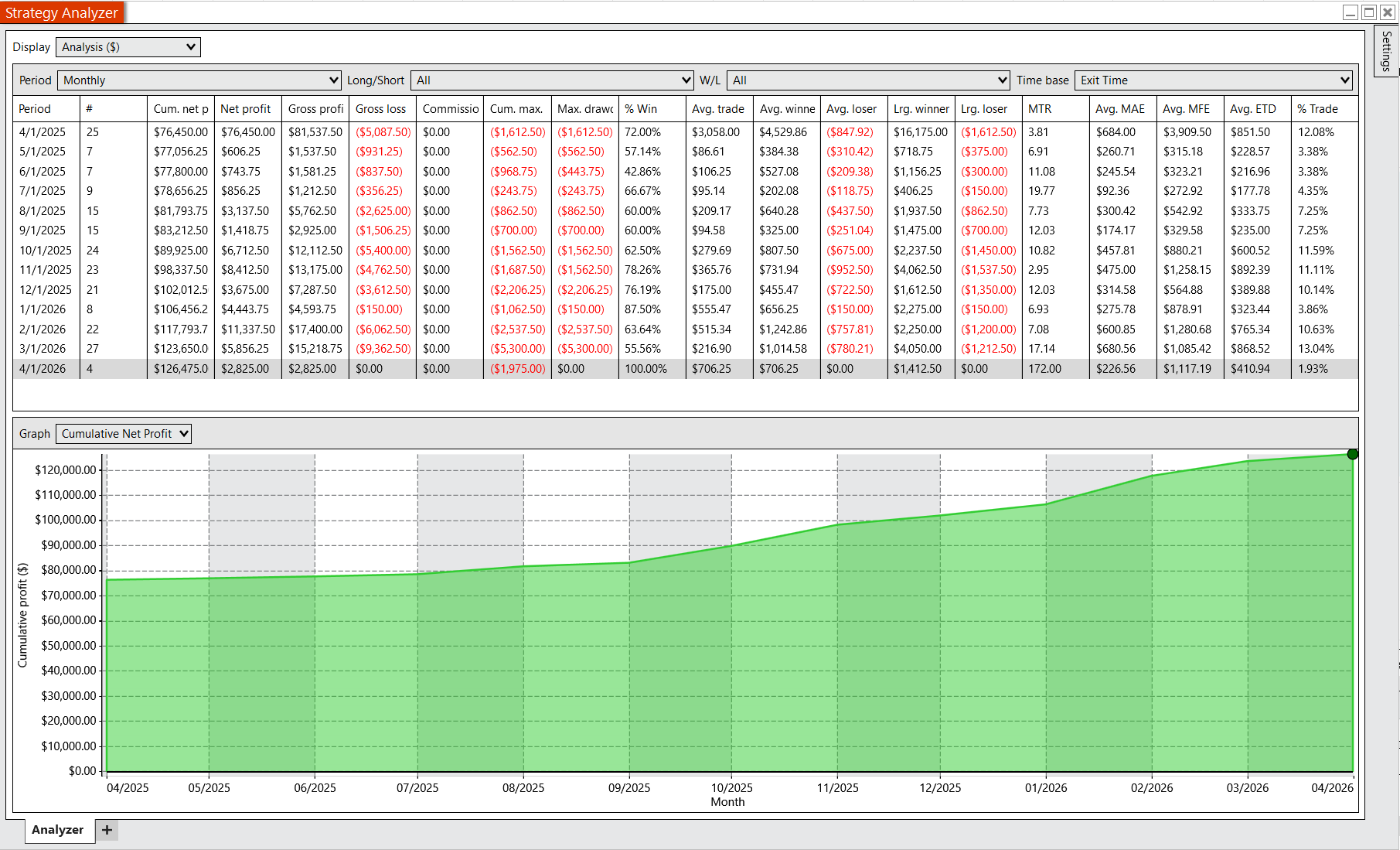
Strategy Analyzer output showing cumulative performance and trade distribution using the default configuration.
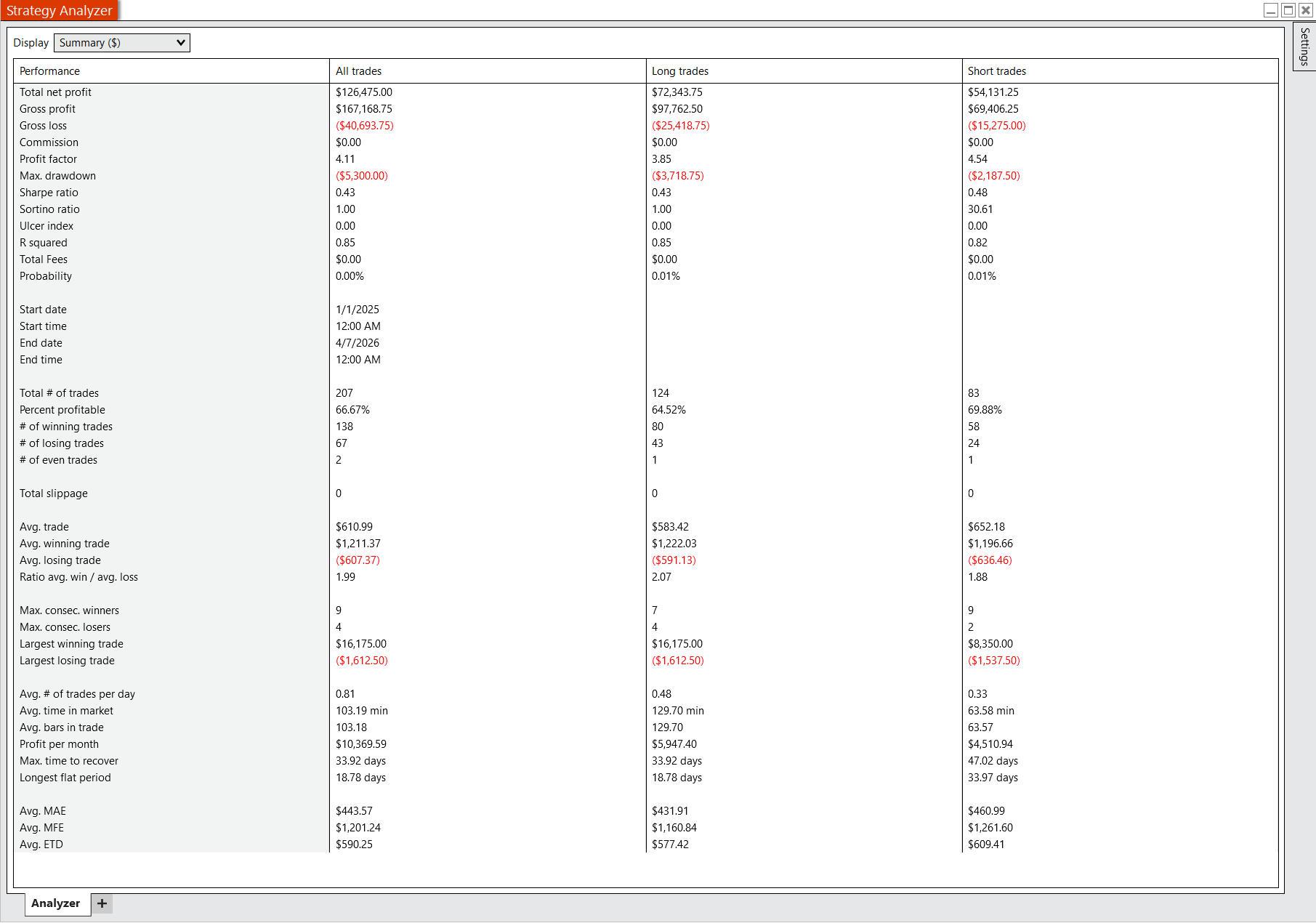
Summary hypothetical performance metrics generated from historical simulation using the strategy's default configuration.
These results are hypothetical and based on a historical simulation using a predefined default configuration. That default configuration may include not only breakout trades, but also reversal and fade-style trades depending on market conditions and strategy settings. The results do not represent actual trading and are not indicative of future results. Performance will vary based on market conditions, platform behavior, user configuration, execution quality, and trader decisions. Users who want only breakout-style behavior must configure that themselves within NinjaTrader. TradeReign does not influence strategy performance and only enforces user-defined rules.
This page is provided for informational purposes only and does not constitute investment advice, a recommendation, or an offer to buy or sell any financial instrument.
Software & Strategy Risk Disclosure
This strategy is provided as software for use within the user's own NinjaTrader environment. It may contain errors, bugs, logical flaws, or unintended behavior that are not known at this time.
No guarantee is made that the strategy will function without interruption or operate as expected in all market conditions, data environments, platform versions, or user configurations.
TradeReign does not control, modify, or validate the internal logic of the strategy and is not responsible for losses, missed trades, duplicate trades, incorrect trades, platform issues, or other unintended outcomes resulting from its use.
Users are solely responsible for installing and configuring the strategy correctly, testing it in simulation before live use, monitoring it during operation, and managing all trading decisions and risk.
Use of this strategy is at the user's own risk.

Need NinjaTrader Installed?
The strategy installs into your own NinjaTrader environment. If you do not already have NinjaTrader installed, you will need to download and install it before you can add the strategy and use it on your chart.
NinjaTrader references are used to describe compatible workflow context only. They do not imply endorsement, approval, or certification.
Download NinjaTraderHow it works
The strategy logic lives inside the user's own NinjaTrader setup. TradeReign can sit alongside that workflow to enforce the account-level rules the user chooses.
Install in NinjaTrader
Import the strategy into your own NinjaTrader environment and attach it to the chart you want to use.
Configure Your Parameters
Adjust the inputs to match your workflow, or review the default configuration as a starting point only.
Add Rule Enforcement with TradeReign
Use TradeReign to prevent rule violations such as interfering with stops or targets, breaking loss limits, or trading outside your own guardrails.
What TradeReign does — and does not do
TradeReign does not provide investment advice, generate signals, place trades, or alter the strategy logic. All strategy behavior occurs inside the user's NinjaTrader setup. TradeReign only enforces user-defined discipline and risk rules at the account level.